Where to Start With Digital Self-Defense (No, You Don't Need to Be Technical)
I've spent 15 years in cybersecurity. Here's what I've learned: most people don't need enterprise security. They need four things done well.
If you do nothing else, do these four things. Each one makes you harder to target. Together, they make you not worth the effort.
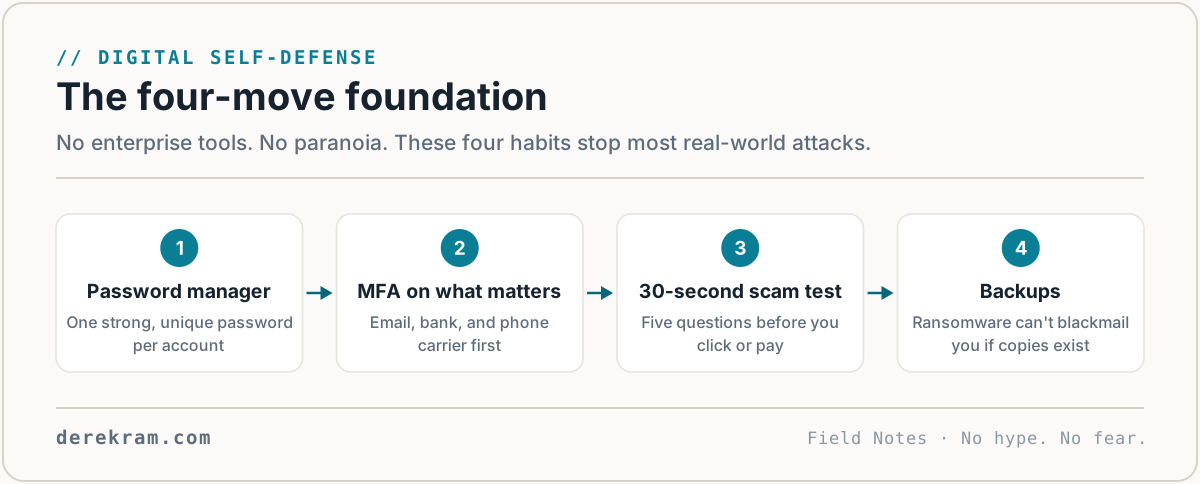
1. Get a Password Manager. Today.
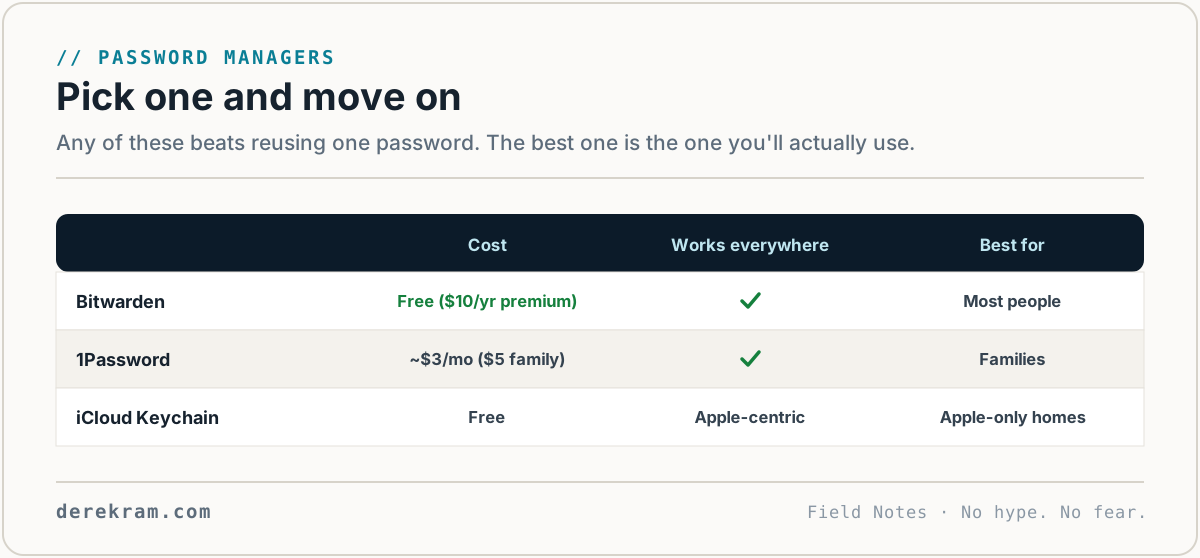
Your password strategy is the problem. I'm not guessing — I'm telling you.
Here's what most people do: one strong password, reused everywhere, maybe a number at the end. Summer2024! on your email, your bank, your streaming, your kid's school portal. One breach at any of those sites and attackers try that password everywhere else. It works often enough that credential stuffing is a billion-dollar industry.
A password manager fixes this. It generates random passwords for every account, remembers them, and fills them in. You only need to remember one master password.
Which one?
Set it up today. Install the browser extension and the phone app. Let it save passwords as you log in. Within two weeks, every important account will have a unique, random password you don't need to remember.
2. Turn On Multi-Factor Authentication (MFA)
A password is something you know. MFA is something you have — your phone, a hardware key.
If someone steals your password, MFA stops them. Every important account should have it: email first, then banking, then social media, then everything else.
Important: SMS-based MFA is better than nothing, but it's the weakest option. Phone numbers can be hijacked through SIM-swap attacks. Use an authenticator app instead.
Turn on MFA for your email first. Your email is the master key — if someone gets in, they can reset passwords for almost everything else. Go do that right now, then come back.
3. Learn the 30-Second Scam Test
Scams work because they bypass your thinking brain. They hit fear, urgency, love, or greed and get you to act before you reason.
The fix isn't technical. It's a pause.
When something feels off, I use a simple test:
1. Who sent this? — Actually check the email address, not just the display name. "Amazon Support" from amazon-support-verify@randomserver.net is not Amazon.
2. Why now? — Did you order something? Are you expecting a call from your bank? Scammers manufacture urgency. Real problems almost never need an instant response.
3. Is this normal? — Does your bank normally text you links? Does the IRS normally call you? Does your boss normally email asking for gift cards? No, no, and no.
4. What happens if I'm wrong? — If it's real, waiting an hour to verify costs nothing. If it's a scam, clicking costs everything.
5. Who can I verify with? — Call the number on the back of your card. Go to the website yourself (don't click the link). Ask someone you trust.
This takes 30 seconds. It works on every scam type. Email, text, phone, social media — same test, same pause.
4. Back Up What Matters
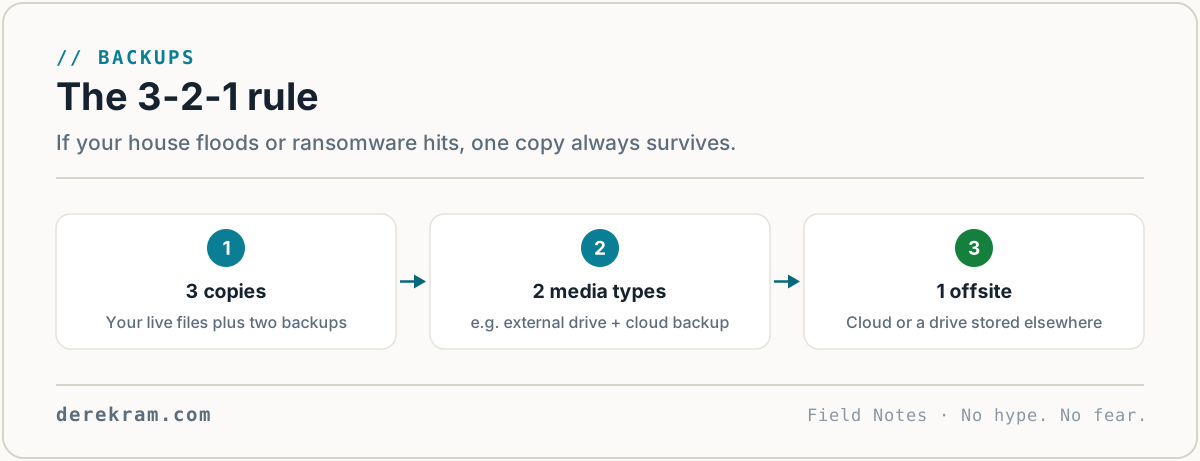
Ransomware encrypts your files. Hard drives fail. Phones get lost. If you don't have backups, those files are gone forever.
Follow the 3-2-1 rule: 3 copies, 2 different media types, 1 offsite.
Here's what that looks like in practice:
For cloud backup, I use Backblaze. $9/month, unlimited storage, runs in the background. Set it and forget it.
For family photos and documents you can't lose, add a second cloud copy. iCloud, Google Photos, whatever you're already using — just make sure auto-backup is on.
Test your backups once. I mean it. Restore a file. Make sure it works. A backup you haven't tested is a prayer, not a plan.
That's the Foundation
Password manager. MFA. Scam test. Backups.
That's it. Four things. None of them require technical knowledge. All of them make you a harder target than 95% of people online.
Scammers go after easy targets. Make yourself inconvenient.
Want the 5-minute version? I made a one-page checklist covering these four steps with specific links and instructions. It's free. Drop your email and I'll send it.
*No sales theater. Just the checklist.*
[Join the Digital Self-Defense list →]
Get the 5-Minute Digital Safety Checklist
Four things that make you harder to target. No jargon. No fear. Free.
Get the Checklist →