How to Use ChatGPT (or Claude, or Gemini) Without Getting Fooled
AI chat tools are useful. They're also confident liars.
I use them daily. Claude helps me draft. ChatGPT helps me research. Gemini helps me summarize. They save me hours every week. But I've also watched them invent citations, fabricate statistics, and argue with total confidence about things that aren't true.
The problem isn't the tool. It's how people use it. Most people treat AI like a search engine with a personality. It's not. It's a text prediction engine with a massive training dataset and no understanding of truth.
Here's how to actually use these tools without getting burned.
What AI Chat Tools Actually Are
When you type something into ChatGPT, you're not "asking an AI." You're feeding text into a model that predicts the most probable next word, over and over, based on everything it consumed during training.
It doesn't know things the way you do, and it can't verify its own output. (Newer reasoning modes help on hard problems — they don't make it a source of truth.) It predicts what words should come next, and it's really good at it.
This is why AI can write a grammatically perfect paragraph about a topic it's completely wrong about. It's not lying — lying requires intent. It's predicting words, and sometimes those words form false statements.
Think of it as an intern who has read the entire internet. Extremely well-read. Zero judgment. Will answer every question with total confidence, even when they have no idea what they're talking about.
You don't fire the intern. You just learn when to trust them and when to verify.
What AI Is Good At (Use It Here)
Writing drafts. Give it bullet points, get paragraphs back. Give it a rough email, get a polished version. It's a writing accelerator, not a replacement for thinking.
Summarizing text you give it. Paste an article, ask for key points. Paste meeting notes, ask for action items. When the source material is right there in the prompt, hallucination risk drops dramatically.
Explaining concepts. "Explain DNS to me like I'm a smart person who doesn't work in tech." It's good at breaking down complex topics into accessible explanations. (Still spot-check unfamiliar claims.)
Brainstorming and ideation. "Give me 10 blog post ideas about home network security." "What are some ways to automate my weekly reporting?" It generates options. You pick the good ones.
Code snippets and technical help. For common programming tasks, AI is excellent. "Write a Python script that renames all files in a folder by date." For uncommon or niche tasks, it still hallucinates.
Formatting and restructuring. "Turn these notes into a table." "Convert this list into a JSON object." Formatting is mechanical — AI rarely gets this wrong.
What AI Is Bad At (Don't Trust It Here)
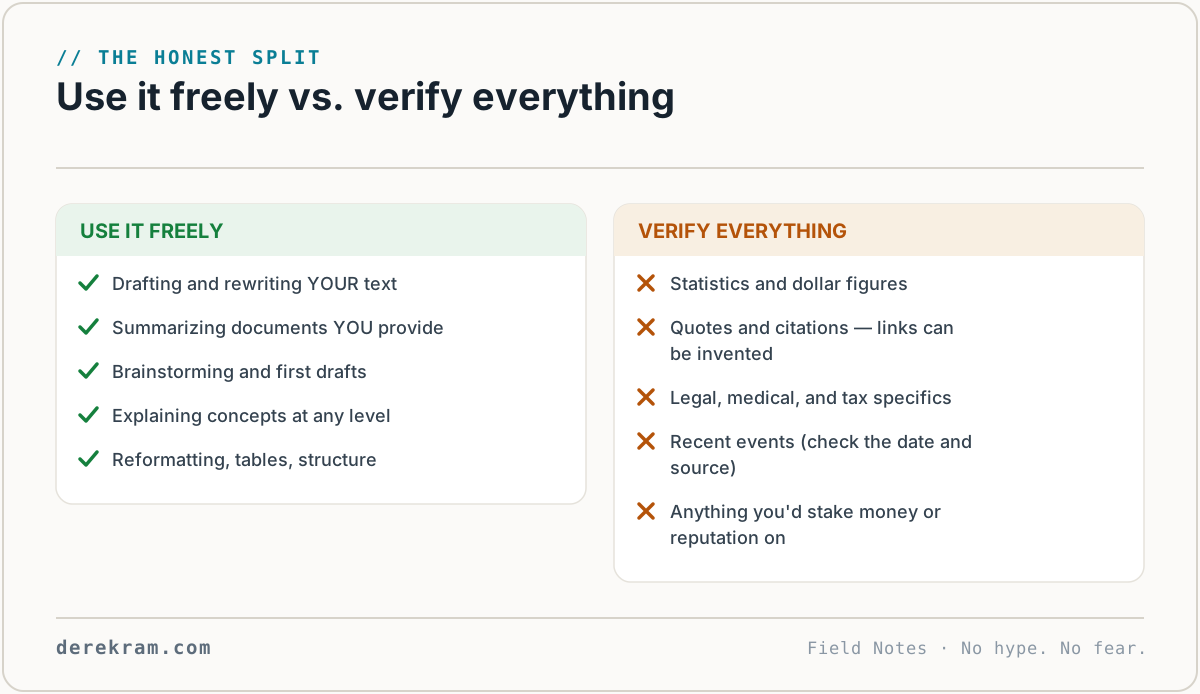
Facts and statistics. AI will invent numbers. "Studies show that 73% of..." — there's no study. It predicted that "73%" sounded right in context. If you need a real statistic, find a real source.
Citations and references. "According to a 2023 paper by Smith et al. in the Journal of..." — the paper probably doesn't exist. The author is made up. The journal might be real, but the article isn't. AI constructs plausible-sounding citations the same way it constructs plausible-sounding sentences.
Current events. AI models have a knowledge cutoff. Every model's training data cuts off at some date — though most chat tools now search the web by default, which helps. Claude's does too. If something happened last week, the AI doesn't know about it unless you're using a version with web search enabled.
Math and calculations. AI handles everyday math far better than it used to — modern tools quietly run code for calculations. For numbers that matter, ask it to show its work, and double-check anything high-stakes yourself.
Legal, medical, or financial advice. Not because it's always wrong. Because when it is wrong, the consequences are severe. And you have no way to know which parts are wrong.
"Why" something works. AI can describe what happens. It can't explain why. It has no causal understanding. It knows that "DNS translates domain names to IP addresses" because that sentence appears in training data thousands of times. It doesn't understand DNS.
Self-assessment. "Are you sure about that?" — asking AI to check its own work is like asking the intern if they made any mistakes. They'll say no with the same confidence they said everything else.
Practical Rules for Using AI Tools
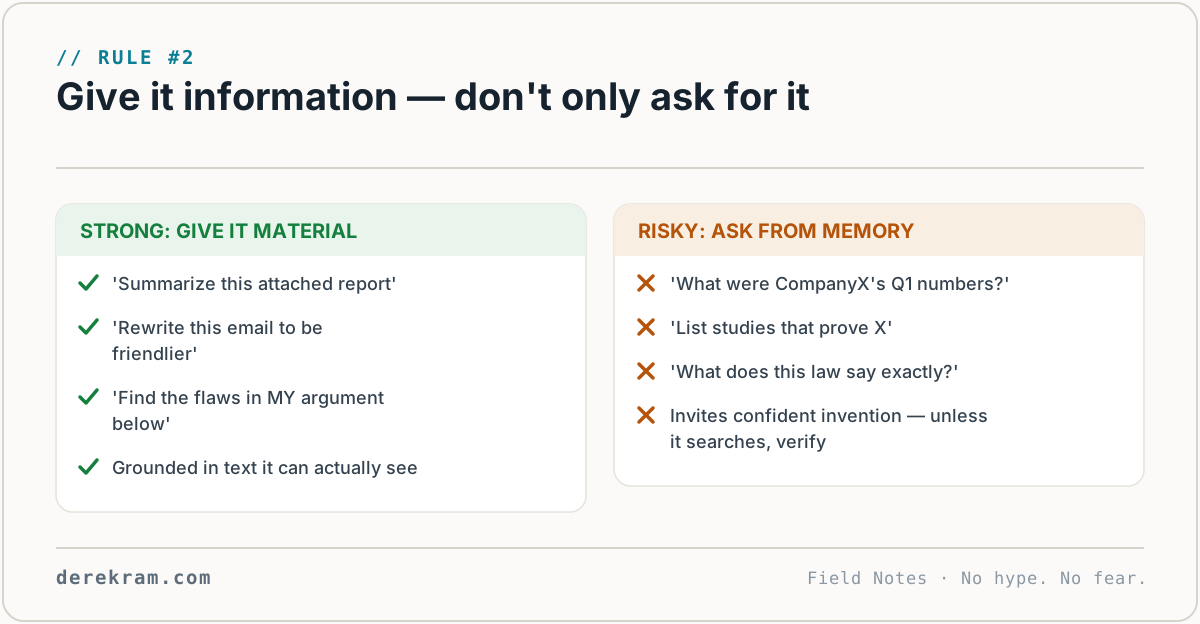
1. Verify anything you plan to use. If the AI gives you a fact, a number, or a reference you intend to include in something real, check it. Search for the fact independently. Look up the source.
2. Give it the information, don't ask it for information. "Here's the company's Q1 report. Summarize the key numbers." vs. "What were the key numbers in this company's Q1 report?" In the first case, the AI is working with your data. In the second, it's guessing.
3. Use it as a first draft, not a final product. AI writes a draft. You edit. Always. AI prose has tells — repetitive structure, corporate-speak, words like "delve" and "crucial." If you publish AI output without editing, readers can tell.
4. Ask for sources and then check them. This is a good habit, but don't trust the sources it gives you. AI invents plausible-looking URLs and citations. Use the request as a starting point for your own search.
5. Don't argue with it. "No, you're wrong — the capital of France is London." The AI will sometimes agree with you to be agreeable. It'll apologize and "correct" itself, even when it was right the first time. It's not a debate partner. It's a text generator.
6. Use different tools for different things. ChatGPT is better at creative writing. Claude is better at long-form analysis and nuance. Gemini integrates with Google services. Perplexity is better for research with inline citations. Each has strengths. Try multiple.
The One Habit That Changes Everything
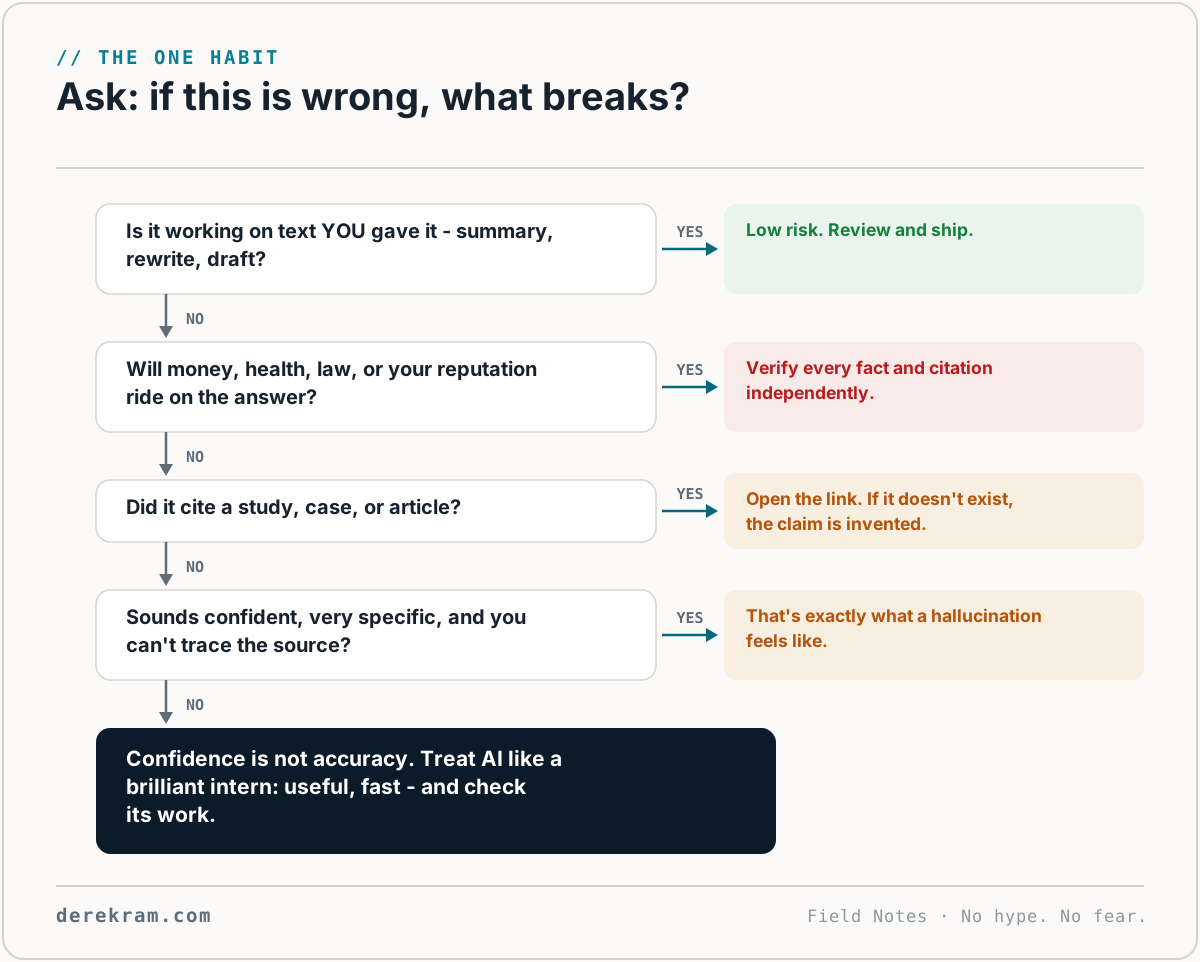
Before you use AI output for anything real, ask yourself: "If this is wrong, what breaks?"
If the answer is "nothing serious" — a draft email, a blog post outline, a brainstorm list — use it freely.
If the answer is "my credibility," "my client's money," "my health," "my legal standing" — verify every claim independently.
This single habit is the difference between AI making you more capable and AI making you dumber.
Get the AI Prompt Starter Kit — 20 prompts that actually work, plus what NOT to ask. Free with the Digital Self-Defense list.
Get the 5-Minute Digital Safety Checklist
Four things that make you harder to target. No jargon. No fear. Free.
Get the Checklist →