What Actually Happens When Your Email Gets Hacked
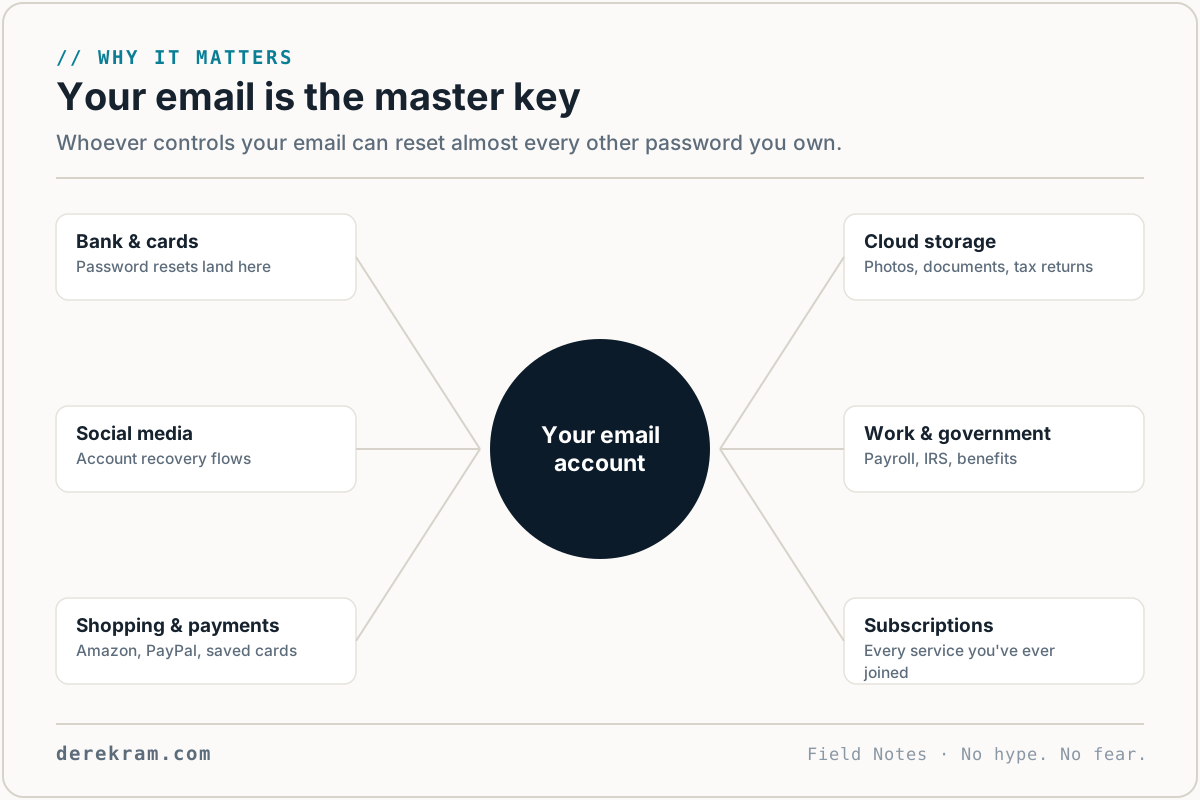
Most people think an email hack means someone reads their messages. That's the least of it. Your email is the recovery key for everything else you own online.
Forget your bank password? "Reset password" sends a link to your email. Forget your social media login? Same thing. Amazon, PayPal, tax software, medical portal — every account you've ever created uses email for password recovery.
When someone owns your email, they don't just read it. They reset passwords for everything. Your bank. Your social media. Your shopping accounts. Your cloud storage with years of photos.
I've walked people through this. Here's exactly what to do, in order.
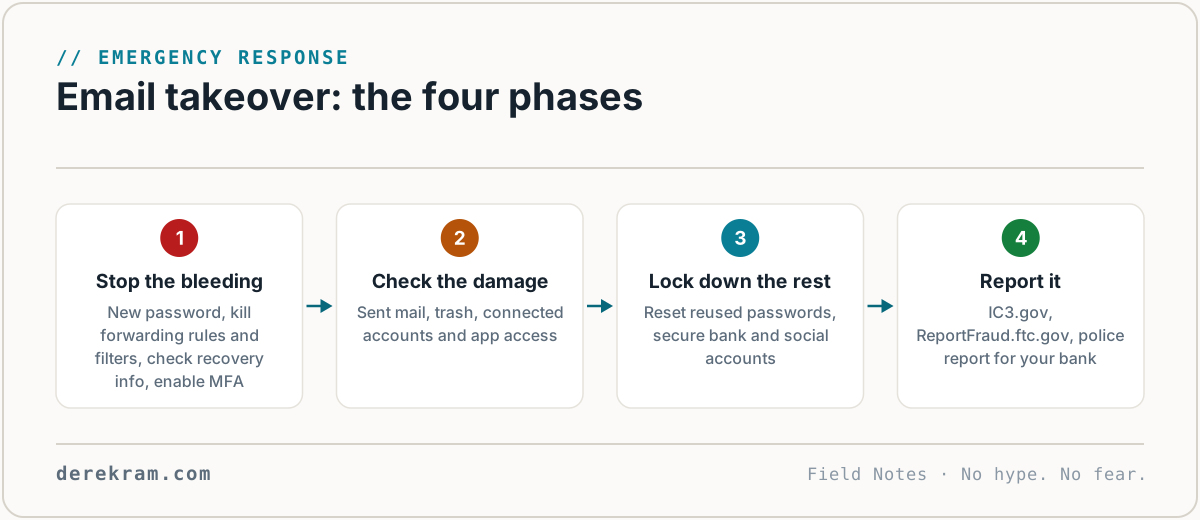
First: Stop the Bleeding
If you can still log in, do these immediately.
1. Change your email password. Pick something new — not a variation of the old one. If you use a password manager (you should), generate a random one. If you don't, use a long passphrase: kitchen-battery-purple-window-45.
This logs out all other sessions in most email providers. The attacker loses access the moment the password changes.
2. Check for forwarding rules. This is the one people miss. Attackers set up automatic forwarding so even after you change your password, your incoming mail goes to them.
In Gmail: Settings → See all settings → Forwarding and POP/IMAP. Delete anything you didn't set up yourself.
In Outlook/Hotmail: Settings → Mail → Forwarding. Same thing.
In Yahoo: Settings → More Settings → Mailboxes → Email forwarding.
If there's a forwarding address you don't recognize, delete it immediately. This is how they maintain access without your password.
3. Check for recovery email/phone changes. Attackers sometimes add their own recovery options so they can reset your password later.
Gmail: Google Account → Security → Recovery email and Recovery phone. While in Gmail settings, also check Filters — attackers hide forward-and-delete rules there.
Outlook: Account settings → Security info.
Others: Look for "account recovery" or "security settings."
If there's a recovery email or phone number you don't recognize, remove it.
4. Turn on MFA — now. If you already had it on, the attacker got past it somehow (session token theft is common). Still, verify it's enabled and the connected devices are yours.
If you DIDN'T have MFA on, this is why you're in this situation. Turn it on before you do anything else. Use an authenticator app, not SMS.
Second: Check the Damage
5. Check sent mail. Look for anything the attacker sent from your account. They may have emailed your contacts asking for money, sending malicious links, or spreading the compromise. If you find anything:
6. Check your deleted items and archive. Attackers often delete evidence, but deleted items sit in Trash for 30 days. Look for password reset emails, account changes, financial transactions you don't recognize.
7. Check connected accounts. In Gmail: go to your Google Account → Security → Third-party apps with account access. Revoke anything you don't recognize.
In any email provider: search for "password reset," "password changed," "welcome to," "verify your account" in your inbox. These tell you which other accounts the attacker may have accessed through your email.
Third: Lock Down Everything Else
8. Change passwords for financial accounts first. Bank, credit cards, PayPal, Venmo, investment accounts, crypto exchanges. These are the damage targets.
9. Then social media and shopping. Facebook, Instagram, Twitter, Amazon, eBay, any site with stored payment methods.
10. Then everything else. If you use a password manager, this is manageable. If you don't, prioritize: financial → social → shopping → everything else.
Fourth: Report It
11. Report to the FBI's IC3. Go to ic3.gov and file a complaint. Even if you didn't lose money, the report helps them track patterns and build cases.
12. Report to the FTC. ReportFraud.ftc.gov. Same reason.
13. File a police report if there's financial loss. Your bank may require this for fraud claims.
What Not to Do
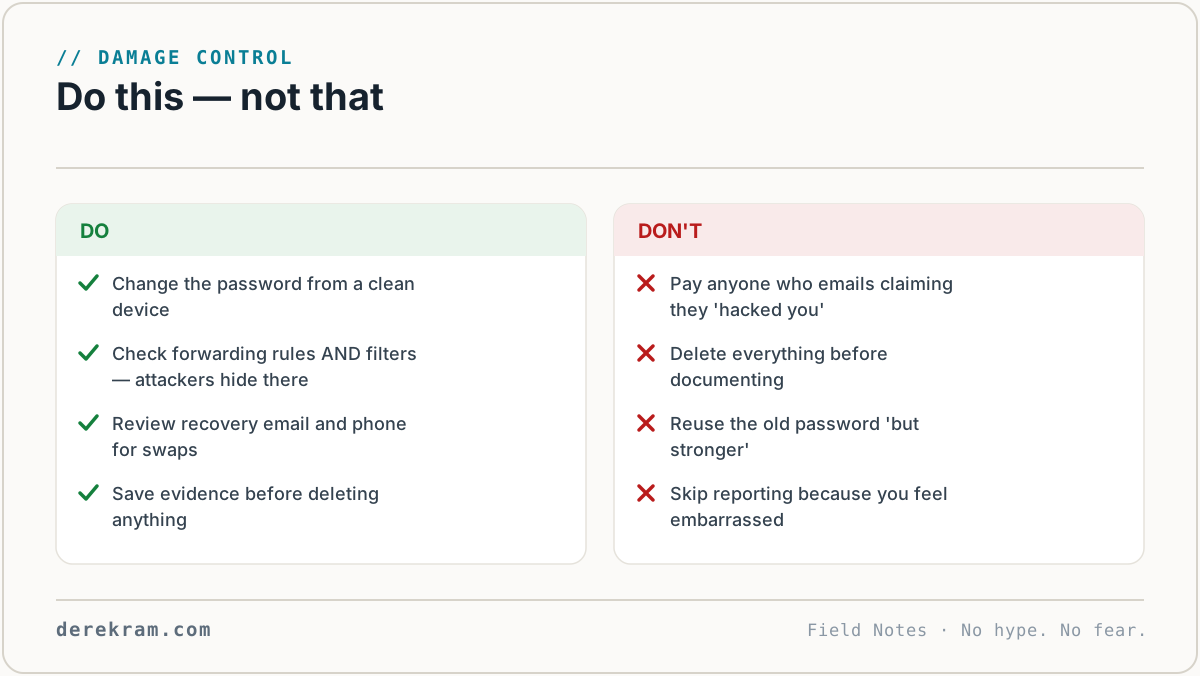
Don't just delete the suspicious emails and move on. If they set up forwarding, they're still reading your mail. Deleting evidence without fixing the forwarding rule means you stay compromised.
Don't use the same password you had before. If they got in once with that password, they'll try it again. A slight variation (Password1 → Password2) isn't enough.
Don't ignore it because "nothing important is in my email." Your email is the recovery key for your bank, your social media, your cloud storage, your tax records, your medical portals. There's always something important.
Don't beat yourself up. Email compromises happen to careful people. Phishing is sophisticated. Credential stuffing is automated. You're one of millions. What matters is how fast you respond.
Afterward: Prevent It From Happening Again
Get the Emergency Recovery Card — a one-page checklist with these steps in order. Keep it somewhere you can find when you're panicking. Free.
[Join the Digital Self-Defense list →]
Get the 5-Minute Digital Safety Checklist
Four things that make you harder to target. No jargon. No fear. Free.
Get the Checklist →